


Earn Money Doing Freelance: Build Websites From Google Maps, Get Paid
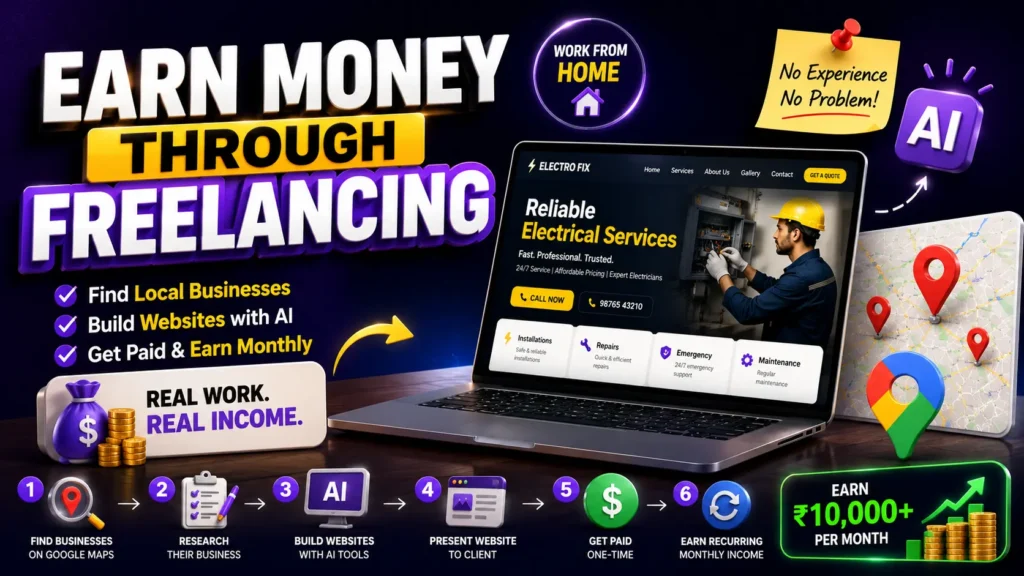
There’s Money Sitting Right Next to You. You’re Just Not Seeing It.
Walk around your city. Look at Google Maps. Search for plumbers, electricians, restaurants, salons, consultants. Most of them don’t have a website. They’re just sitting on Google Maps with a phone number and some reviews.
That’s the business opportunity right here. And you can start today.
I’m going to show you exactly how to find these businesses, research them, build them a professional website, and get paid for it. No experience required. No fancy skills. Just Google Maps, AI tools, and a website builder.
Let me be honest. This isn’t get-rich-quick. But it’s genuinely accessible work that pays real money, and you can do it from your home.
Here’s The Exact Process
Step 1: Find Local Businesses on Google Maps
Open Google Maps. Search for categories that typically don’t have websites. Plumbers, electricians, dentists, mechanics, salons, fitness trainers, photographers, consultants, pest control, cleaning services.
Look for businesses that:
- Have a Google Business Profile but no website link
- Have decent reviews (50-200 reviews)
- Have been in business for a while (not brand new)
- Are local, not national chains
You’re looking for established businesses that are serious (they’ve got good reviews) but haven’t taken the website step yet.
Step 2: Research Their Business on Google Maps
Click on their Google Business profile. Write down everything:
- Business name
- Phone number
- Address
- Services they offer (read from their Google description)
- What their customers say (read the reviews to understand what they’re known for)
- Their hours
- Photos they’ve posted
This takes 5-10 minutes per business. You’re gathering all the information you need to build their website.
Step 3: Create a Professional Website Using Modern AI Tools
This is where the magic happens. You’re going to use AI-powered website builders that are way faster and easier than traditional tools.
Here’s your toolkit:
Use Claude or Lovable AI to generate website copy and design ideas. You describe what the business does based on their Google Maps profile. Claude or Lovable generates professional homepage copy, service descriptions, and about sections instantly. Copy it and you’re done.
Use Webild.io to build the actual website. Webild.io is an AI website builder specifically designed for small businesses. You don’t need to know design or code. You just:
- Describe what you want using a prompt
- Upload the business photos from Google Maps
- Paste the copy you generated from Claude
- Webild.io builds the site automatically
Within 2 hours, you have a complete, professional website ready to show.
Real Example Prompts (Copy These)
Here are two real prompts you can use. Just replace the shop details with the business information from their Google Maps profile.
Example 1: Local Electrician Shop
Shop Details to Fill In:
- Shop Name: [Electrician Shop Name from Google Maps]
- City: [City Name]
- Phone: [Their Phone Number]
- Services: [Read from their Google Maps description – e.g., “electrical installations, repairs, maintenance, emergency services”]
- Why they’re good: [Read from their customer reviews – e.g., customers mention fast response, professional work, affordable rates]
- Years in business: [From their profile creation date or reviews]
Paste This Prompt Into Claude:
“Write a professional website homepage for [Shop Name], a local electrician in [City]. Include the following information:
Business Name: [Shop Name] Location: [City] Phone: [Phone Number] Services Offered: [Services from Google Maps] What customers say: [Positive points from reviews] Business since: [Year]
Write:
- A compelling homepage headline that emphasizes quick response and professional service
- A brief description of their services (2-3 sentences)
- Why customers should choose them (based on their reviews and reputation)
- A services list with descriptions
- An about section that builds trust
- A call to action to contact them
Make it professional, friendly, and SEO-friendly. Write in simple English that’s easy to understand.”
Example 2: Local Beauty Salon
Shop Details to Fill In:
- Shop Name: [Salon Name from Google Maps]
- City: [City Name]
- Phone: [Their Phone Number]
- Services: [Read from their Google Maps – e.g., “haircut, coloring, facial, makeup, bridal services”]
- Special: [From reviews – e.g., “experienced stylists, affordable prices, latest trends”]
- Instagram/Social: [If they have any]
Paste This Prompt Into Claude:
“Write a professional website homepage for [Salon Name], a beauty salon in [City]. Here are the details:
Business Name: [Salon Name] Location: [City] Phone: [Phone Number] Services: [Services offered – e.g., haircut, coloring, facial, bridal makeup] What customers love: [Key points from reviews – e.g., experienced staff, clean environment, good prices] Years operating: [How long]
Write:
- An attractive homepage headline that appeals to beauty-conscious customers
- Introduction about the salon and team
- List of services with brief descriptions
- Why customers should book with them (based on reviews)
- An about the team section
- Booking or contact call to action
Make it warm, professional, and inviting. Use language that resonates with women looking for beauty services. Keep it simple and clear.”
Step-by-Step After You Get the Copy
Step 1: Copy the prompt above (Example 1 or Example 2)
Step 2: Open Claude (claude.ai)
Step 3: Replace all the bracket details with actual shop information:
- [Shop Name] → “Sharma Electrical Services”
- [City] → “Kochi”
- [Phone Number] → “9876543210”
- [Services] → “electrical installations, repairs, emergency services, maintenance”
- [Special Points] → “24-hour emergency service, experienced electricians, affordable rates”
Step 4: Paste the complete prompt with filled details into Claude
Step 5: Claude generates professional copy in 1-2 minutes
Step 6: Copy the entire output
Step 7: Open Webild.io or Manus AI
Step 8: Paste the complete prompt below into your AI website builder:
Complete Prompts for AI Website Builders (Webild.io, Manus AI, Lovable AI)
After you get the copy from Claude, use one of these prompts with your AI website builder to generate the complete website.
Prompt for Webild.io / Manus AI (Example 1: Electrician)
Copy this entire prompt and paste into your website builder:
Create a professional website for [Shop Name], a local electrician in [City].

Website Details:
- Business Name: [Shop Name]
- Location: [City]
- Phone: [Phone Number]
- Website URL: [shopname.webild.io or similar]

Content to Include:
[Paste the entire copy you got from Claude here]

Design Requirements:
1. Clean, professional layout suitable for an electrical services business
2. Dark blue or black header with white/light text
3. Professional color scheme (blue, white, gray)
4. Easy navigation with Home, Services, About, Contact sections
5. Contact form or WhatsApp button prominently placed
6. Service cards showcasing their main services
7. Testimonial section (even if empty, leave space for reviews)
8. Mobile responsive design
9. Fast loading, clean typography
10. Call-to-action buttons in contrasting colors

Pages to Create:
1. Homepage - with hero section, services overview, testimonials
2. Services page - detailed list of all services
3. About page - about the electrician and team
4. Contact page - contact form, phone, address, map
5. Footer - with all contact information

Special Features:
- Add "24/7 Emergency Service" banner if applicable
- Include service area (city/neighborhoods they serve)
- Add customer testimonials section
- Include "Why Choose Us" section with their key strengths

Output: Fully functional website ready to publish
Design Style: Professional, trustworthy, modern
Target Audience: Homeowners and business owners needing electrical services
Prompt for Webild.io / Manus AI (Example 2: Beauty Salon)
Copy this entire prompt and paste into your website builder:
Create a beautiful, modern website for [Salon Name], a professional beauty salon in [City].

Website Details:
- Business Name: [Salon Name]
- Location: [City]
- Phone: [Phone Number]
- Website URL: [salonname.webild.io or similar]

Content to Include:
[Paste the entire copy you got from Claude here]

Design Requirements:
1. Elegant, modern design suitable for beauty and wellness
2. Warm color palette (blush pink, gold, white, or salon's brand colors)
3. Professional photography-style layout with image sections
4. Easy navigation with Home, Services, About, Gallery, Book Now, Contact
5. Booking button or WhatsApp integration prominently placed
6. Before/after gallery section for transformations
7. Service menu with pricing (if available)
8. Team member profiles with photos
9. Customer testimonials/reviews section
10. Mobile responsive and fast loading

Pages to Create:
1. Homepage - with hero image, featured services, testimonials
2. Services page - all services with descriptions and pricing
3. Gallery page - photos of work, transformations, salon interior
4. About page - about salon, team, experience
5. Booking page - online booking system or WhatsApp booking link
6. Contact page - contact form, location, hours, map

Special Features:
- Add "Book Your Appointment" call-to-action on every page
- Include opening hours prominently
- Add special offers or packages section
- Include team member profiles with photos
- Before/after image comparisons
- Google Maps integration for location

Output: Fully functional beauty salon website
Design Style: Elegant, modern, warm, inviting
Target Audience: Women looking for beauty and wellness services
Mood: Professional yet approachable, luxurious but accessible
Prompt for Webild.io / Manus AI (Generic Template for Any Business)
Use this if the business type isn’t in the examples above:
Create a professional website for [Business Name], a [Business Type] in [City].

Business Information:
- Business Name: [Business Name]
- Business Type: [Type - e.g., plumber, consultant, trainer, etc.]
- Location: [City/Area]
- Phone: [Phone Number]
- Key Services: [List services from Google Maps]

Website Content:
[Paste the entire copy you got from Claude here]

Design Requirements:
1. Professional, clean, modern design
2. Easy to navigate with clear menu structure
3. Mobile responsive and fast loading
4. Clear call-to-action buttons (WhatsApp, phone, booking, contact form)
5. Professional color scheme suitable for the business type
6. High-quality layout with proper spacing
7. Trust-building elements (testimonials, credentials, experience)
8. Service/product showcase section
9. About section highlighting expertise
10. Easy contact options

Essential Pages:
1. Homepage - with business overview and key services
2. Services/Products page - detailed offerings
3. About page - business background and expertise
4. Contact page - multiple contact options
5. Footer - complete business information

Must Include:
- Business phone number prominently displayed
- WhatsApp or messaging option
- Service area or location map
- Customer testimonials if available
- Why choose this business section
- Clear pricing or inquiry form

Output: Complete, functional website ready to show client
Design Quality: Professional and trustworthy
Target Audience: [Define who they serve]
Purpose: To convert website visitors into customers
How to Use These Prompts Step-by-Step
Step 1: Fill in all the [bracketed] information with actual business details from Google Maps
Step 2: Paste the copy from Claude where it says “[Paste the entire copy you got from Claude here]”
Step 3: Copy the entire prompt
Step 4: Open Webild.io or Manus AI
Step 5: Paste the complete prompt into the text field
Step 6: Upload 5-10 business photos from their Google Maps profile
Step 7: Click “Generate” or “Create Website”
Step 8: AI generates the complete website in 2-5 minutes
Step 9: Review the website. Make small tweaks if needed.
Step 10: Export the website files
Step 11: Show to the business owner
That’s it. Fully automated website from Google Maps research to AI-generated website, ready to sell.
Step 13: Publish the Website to a Domain
Your website is built. Now you need to make it live on the internet so the business owner can actually use it.
Option 1: Using Vercel (Easiest for AI-Generated Sites)
What is Vercel? Vercel is a free hosting platform that makes your websites live on the internet. It’s specifically designed for websites built with AI tools.
Steps to Publish on Vercel:
Step 1: Go to vercel.com
Step 2: Sign up with GitHub or email
Step 3: Connect your GitHub account (we’ll explain GitHub below)
Step 4: Click “New Project” and import your website files
Step 5: Vercel automatically detects your website type
Step 6: Click “Deploy” – your website is now live
Step 7: Vercel gives you a free URL like: yourshopname.vercel.app
What’s Good:
- Completely free
- Automatically deploys when you update files
- Super fast loading
- Perfect for small business websites
- No technical knowledge needed
Cost: Free (or upgrade later for custom domains)
Option 2: Using GitHub + Vercel (Recommended for Control)
What is GitHub? GitHub is where you store your website files. Think of it as a backup + version control system.
Steps:
Step 1: Go to github.com
Step 2: Sign up (free)
Step 3: Create a new repository (folder for your website files)
Step 4: Upload your AI-generated website files to GitHub
Step 5: Connect this GitHub repository to Vercel (as shown above)
Step 6: Every time you update files on GitHub, Vercel automatically updates the live website
Step 7: Your website is live at a free Vercel URL
Advantages:
- Files are backed up on GitHub
- Easy to make changes and updates
- Version history (see what changed)
- Can invite the business owner to make edits too
- Professional workflow
- All free
Option 3: Connect to a Custom Domain (Business Owner’s Own Domain)
If the business owner already has a domain name like electricianshop.com, you can connect it.
Steps to Add Custom Domain:
Step 1: In Vercel dashboard, go to your project
Step 2: Click “Settings” → “Domains”
Step 3: Add the business owner’s domain name (e.g., electricianshop.com)
Step 4: Vercel gives you DNS records to update
Step 5: Go to their domain registrar (GoDaddy, Namecheap, etc.)
Step 6: Add the DNS records Vercel provided
Step 7: Wait 24 hours for DNS to update
Step 8: Their custom domain now shows your website
What You Charge: Add 500-1000 rupees to the website price for domain setup and annual management
Option 4: Simple Domain Setup (If They Don’t Have One)
If the business owner doesn’t have a domain:
You can:
- Register a domain for them (godaddy.com, namecheap.com)
- Use Vercel’s free subdomain (shopname.vercel.app) initially
- Later upgrade to their custom domain
Domain Registration Cost: 500-1500 rupees per year (you can charge them 1500-2000 and keep 500 profit)
Complete Publishing Workflow
Scenario: You built a website for an electrician shop
Step 1: Export website files from Webild.io or Manus AI
Step 2: Create GitHub account, upload files there
Step 3: Go to Vercel.com
Step 4: Connect Vercel to your GitHub account
Step 5: Select the website repository
Step 6: Click “Deploy” (2 minutes)
Step 7: Website is now live at: electricianshop.vercel.app
Step 8: Show this live URL to the business owner
Step 9: If they want a custom domain:
- Register domain (or they register it)
- Connect to Vercel
- Wait 24 hours
Step 10: Website is live on their custom domain
Step 11: Collect payment
Cost Breakdown (What You Charge Client)
- Basic website (Vercel + free domain): 2000-5000 rupees
- Website + custom domain setup: 5000-10000 rupees
- Website + custom domain + first year domain cost: 6000-12000 rupees
- Monthly maintenance and updates: 500-1000 rupees
Your Profit Margin: Very high, since your tools are mostly free
Why Vercel + GitHub is Perfect for This Business
- Completely Free – No hosting costs cutting into your profit
- Professional – Looks legitimate and trustworthy
- Easy to Update – Business owner (or you) can make changes easily
- Fast – Websites load quickly, which helps SEO and customer experience
- No Technical Knowledge Required – Just upload files and deploy
- Scalable – Can manage 50+ client websites without complexity
- Automatic Backups – GitHub keeps versions of all your files
- Custom Domains – Easy to connect their own domain name
Exact Steps for Your First Website (End-to-End)
Day 1:
- Find business on Google Maps
- Research their details
- Generate copy with Claude
- Build website with Webild.io/Manus AI
- Export website files
Day 2:
- Create GitHub account
- Upload website files
- Create Vercel account
- Connect to GitHub
- Deploy website (goes live instantly)
Day 3:
- Visit the business
- Show them the live website on your phone
- Show them the live URL
- Explain the price
- Collect payment
That’s it. 3 days from research to published website to paid.
Tools Summary (Everything You Need)
| Tool | Purpose | Cost | Website |
|---|---|---|---|
| Google Maps | Find businesses | Free | maps.google.com |
| Claude | Write copy | Free or $20/month | claude.ai |
| Webild.io | Build website | Paid or free trial | webild.io |
| Manus AI | Build website (alternative) | Paid | manusai.com |
| GitHub | Store website files | Free | github.com |
| Vercel | Publish website | Free | vercel.com |
| GoDaddy/Namecheap | Register custom domains | Paid | godaddy.com, namecheap.com |
Total Monthly Cost for You: 0-1000 rupees (mostly free) Price You Charge Per Website: 2000-10000 rupees Your Profit Per Website: 2000-10000 rupees (100% profit margin)
Important Notes About Publishing
GitHub + Vercel are 100% free and professional. This is what real developers use. It’s not a cheap workaround. It’s the industry standard.
Your websites will be fast and reliable. Vercel serves your website from multiple locations globally, so loading is instant.
Easy to manage updates. If the business owner wants to change something, you can update files on GitHub, and Vercel automatically updates the live website in seconds.
No vendor lock-in. Your website isn’t trapped on some platform. You own all the files. You can move it anywhere anytime.
This is the professional setup that separates you from amateurs trying to sell cheap Wix websites.
Next Steps After Publishing
Once the website is live:
- Show the client – Demo the live website on their phone/computer
- Collect payment – Get paid 2000-10000 rupees for the website
- Offer maintenance – Propose monthly updates for 500-1000 rupees
- Ask for reviews – Get them to add reviews/testimonials to the website
- Mention Google SEO – Offer SEO services for future income stream
Now you have a complete, published, professional website and recurring income potential.
Your first freelance income is ready to collect.
Step 4: Present the Website to the Business Owner
Visit the business or call them. Show them the website you built.
Say something like: “I saw your Google Maps profile and realized you don’t have a website yet. I built you one that you can customize. It shows your services, builds trust with customers, and helps people find you on Google search. I can walk you through how to use it and make changes.”
Most business owners will be impressed. They see a functioning website with their information, their photos, their services. It looks professional.
Step 5: Agree on Payment
This varies based on location and business type. But here’s what’s realistic:
For a basic website: 2000 to 5000 rupees (if in India) or 50 to 150 dollars (if in other countries) For a website with more pages and features: 5000 to 15000 rupees or 150 to 400 dollars For ongoing maintenance and updates: Monthly subscription of 500 to 2000 rupees or 15 to 50 dollars
Most business owners are happy to pay because:
- They’ve been meaning to do this for years
- You just saved them the hassle of hiring a designer
- The website is already built. They just need to approve and pay
- You can offer to help them maintain it for monthly income
Step 6: Ongoing Income (Optional)
After they buy the website, offer maintenance and updates:
- Monthly website maintenance: 500 to 1000 rupees
- Google Maps optimization and management
- Adding new photos or services
- Small design changes
This turns one-time income into recurring income.
Real Numbers (Be Honest)
Time to build and present one website: 2-3 hours Payment per website: 2000 to 10000 rupees average Monthly recurring (if they subscribe): 500 to 1000 rupees
So realistically:
- If you close 2 websites per week, that’s 8000 to 20000 rupees per week
- If you build recurring maintenance for 10 clients, that’s 5000 to 10000 rupees in passive income monthly
- If you do this seriously for 3 months, you could have 20-30 recurring clients paying you monthly
That’s not passive income overnight. But it’s genuine work from home income that scales.
Why This Works
Local businesses need websites but don’t know how to get them. They’re not tech savvy. They’re not going to learn WordPress or hire an expensive agency. But a simple, ready-made website that shows their services? They’ll buy that.
You have zero competition in most areas. In most cities, nobody is doing this. You’re the first person approaching these businesses with an actual solution.
You don’t need any credentials. You don’t need a design degree. You don’t need years of experience. You just need to know how to use a website builder and ChatGPT.
The barrier to entry is super low. Website builder subscription costs 500-1000 rupees per month. ChatGPT is free or 20 dollars per month. That’s it. Your entire business infrastructure is under 1000 rupees per month.
It’s repeatable. Once you build one website, you can build 10 more using the same process. You get faster. You get better. Your close rate improves.
The Honest Challenges
Getting appointments is the hardest part. Walking into a business or calling them takes courage and patience. Some will say no. Most will listen but won’t commit immediately. You need to handle rejection.
Not every business will want it. Some are too small. Some are already satisfied with Google Maps alone. Some don’t have budget. But 1 out of 5 will say yes. And that’s enough.
You need to deliver quality. The website has to look good. The copy has to be accurate. If you give them something that looks amateurish, you damage your reputation.
Ongoing support takes time. If you promise maintenance, you need to actually maintain it. This isn’t passive. It’s a commitment.
But none of these are blockers. They’re just real challenges that come with any business.
How to Start Today
1. Pick a niche. Choose one business type to focus on first. Plumbers, electricians, salons, gyms. Start with one. Get good at it.
2. Go to Google Maps. Search “plumbers near me” or whatever your category is. Find 20 businesses without websites.
3. Make a list. Write down their name, phone, address, and what you learned from their profile.
4. Build one website. Pick one business and build them a complete website using a website builder. Use ChatGPT to write copy. Use their Google Maps photos. Spend 2-3 hours on this.
5. Present it. Call them or visit. Show them the website. Explain what you built and why it matters.
6. Close the deal. If they like it, ask for payment. Offer maintenance packages for recurring income.
7. Repeat. Build 5 more. Then 10 more. Soon you have a system and multiple revenue streams.
The Mindset You Need
This works if you treat it like a business, not a side hustle.
You’re solving a real problem. Local businesses need websites and don’t have the skills or time to build them. You’re filling that gap. That’s a legitimate business.
Charge them appropriately. Don’t undercharge because you’re new. If you’re spending 3 hours building their website, charge them at least 2000 rupees. That’s fair.
Follow up consistently. Not every business says yes on the first call. Follow up once. Then once more. Then move on. Some will circle back.
Deliver quality. Your reputation is everything. One bad website kills multiple future deals.
Real Example Workflow
Monday: Search Google Maps for electricians. Find 15 without websites.
Tuesday: Call 5 of them. 2 are interested. Schedule a meeting.
Wednesday & Thursday: Build websites for both. Use ChatGPT to write copy. Use their photos and information.
Friday: Show them the websites. 1 approves immediately and pays 3000 rupees. The other wants to think about it.
Next week: Follow up with the second one. They approve and pay 2500 rupees. You also propose monthly maintenance for 500 rupees. They agree.
Ongoing: You now have 2 websites built, 2500 rupees in revenue, and 500 rupees in recurring monthly income.
Repeat this 2-3 times per month. In 3 months, you have 10-15 clients and 5000-7000 rupees in recurring monthly income. Plus new website sales.
Tools You Actually Need
AI Website Builders (Pick One):
- Webild.io – Fastest for this use case. AI generates entire websites from descriptions. You paste content, upload photos, done.
- Lovable AI – Great for generating design ideas and website mockups quickly.
- Manus AI – Another excellent AI builder. Creates websites from simple prompts.
AI for Copy Writing:
- Claude – Free tier available. Best for writing business copy, service descriptions, about sections.
- ChatGPT – Also works, but Claude is slightly better for business writing.
Other Tools:
- Google Maps – Free. Your research tool.
That’s genuinely it. Your entire toolkit is free or under 500 rupees per month if you choose Claude paid. Most of the heavy lifting is done by AI.
You don’t need Wix, WordPress, Squarespace, or any traditional website builder. The AI tools are faster, easier, and specifically designed for this exact use case.
Bottom Line
There’s genuine money in this. Not life-changing money overnight. But consistent, repeatable income from home that scales as you get better at it.
The businesses are right there on Google Maps. They need websites. You can build them. They’ll pay you.
The only thing stopping you is taking the first step.
Start today. Find 5 local businesses without websites. Build one website. Show it to them. See what happens. I’m betting at least 1 will say yes. And that’s your first income.
The business is waiting. You just need to start.
More Resources
"Get Your Free Marketing Growth Consultation"
Let's Connect
Let’s talk! Whether you’re just starting out online or want to fix what’s not working, I’m here to help. As the best digital marketing strategist in Wayanad, I focus on what actually works for your business. Shoot me a message and we’ll figure out the best path forward.”