How to Create Instagram Carousels in Minutes Using ChatGPT Prompts
Let me be honest with you. Making a carousel used to take me way longer than it should have.
First you sit and think about the topic. Then you figure out the angle. Then you write the hook. Then you plan each slide. Then you rewrite everything three times because the first version sounded too boring. By the time you open Canva to actually design it, half your energy is already gone.
And the worst part? You do this every single time. For every single carousel.
Then I started using ChatGPT for the content planning side of this just the text, just the structure and the whole process changed. I am talking about going from two hours of thinking and writing to having a fully planned carousel script in under ten minutes.
Here is exactly how I do it, and the actual prompts I share with my students and clients.
What ChatGPT Actually Does in This Process
Before anything else, let me be clear about what role ChatGPT is playing here.
It is not designing your carousel. It is not picking your colours or fonts. What it is doing is giving you the content backbone — the hook, the slide-by-slide structure, the copy for each slide, and sometimes even the call to action at the end.
Once you have that, you take it into Canva or whatever design tool you use, and you just fill in the layout. The thinking work is already done.
That is the part that was eating up most of your time. And that is the part ChatGPT handles.
Click here to get the chat
The Basic Prompt Structure That Works
Most people go to ChatGPT and type something like “write a carousel about digital marketing” and then complain that the output is too generic. That is a you problem, not a ChatGPT problem. The tool gives back what you give it.
Here is the structure I use for every carousel prompt:
Prompt Template:
Create an Instagram carousel script on the topic: [your topic]
Target audience: [who this is for]
Tone: [conversational / educational / motivational — pick one]
Number of slides: [7 to 10 works best for Instagram]
For each slide, give me: — A short punchy headline (under 8 words) — 2 to 3 lines of body copy — A small visual direction or design note
Make the first slide a strong hook that stops the scroll. Make the last slide a clear call to action.
That is it. That is the full structure. When you fill in each part properly, what comes back is a properly planned carousel you can directly take into design.
A Real Example Full Prompt and Output
Let me show you exactly how this works with a real topic.
Prompt I used:
Create an Instagram carousel script on the topic: 5 mistakes beginners make on Instagram
Target audience: Small business owners and student creators who are just starting out
Tone: Conversational and honest, like a friend telling you the truth
Number of slides: 7
For each slide, give me: — A short punchy headline under 8 words — 2 to 3 lines of body copy — A visual direction note
Make the first slide a hook that stops the scroll. Last slide should have a call to action.
What ChatGPT gave back:
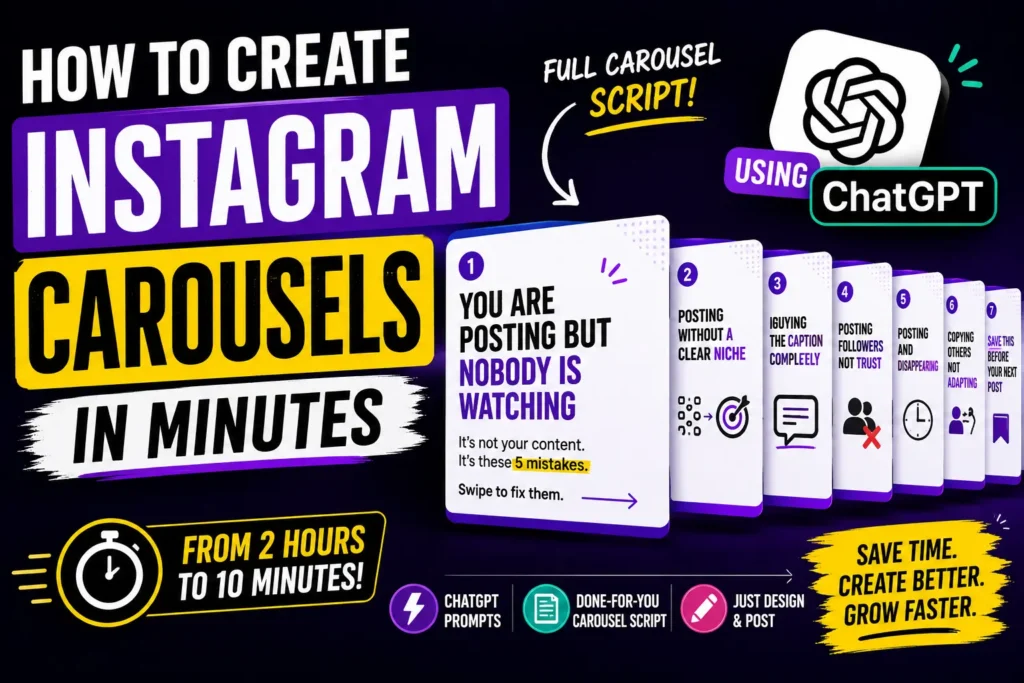
Slide 1 — Hook Headline: You are posting but nobody is watching Body: It is not your content. It is these 5 mistakes. Swipe to fix them. Visual note: Bold text on a dark background. No clutter.
Slide 2 Headline: Posting without a clear niche Body: Your page tries to be everything. So people follow nobody. Pick one thing and own it. Visual note: Show a scattered grid vs a clean focused grid side by side.
Slide 3 Headline: Ignoring the caption completely Body: The image stops the scroll. The caption builds the connection. Both matter. Visual note: Screenshot style with caption highlighted.
Slide 4 Headline: Buying followers instead of building trust Body: 10,000 fake followers cannot buy one real customer. Engagement beats numbers every time. Visual note: Red cross over a follower count graphic.
Slide 5 Headline: Posting and disappearing Body: You post at 9 AM and go offline till next week. The algorithm and your audience both notice. Visual note: A clock or calendar showing inconsistency.
Slide 6 Headline: Copying others instead of adapting Body: Inspired by someone is fine. Copy-pasting their strategy is not. Your audience is different from theirs. Visual note: Side by side showing inspiration vs copy.
Slide 7 — CTA Headline: Save this before your next post Body: Which mistake are you guilty of? Drop it in the comments. Follow for more practical content like this. Visual note: Simple bold text on brand color. Save icon visible.
That whole output came back in under two minutes. Seven slides, fully written, with design direction. All I had to do after this was open Canva and place the text.
How to Make the Output Even Better
The first output is rarely the final version. Here is how I refine it:
Tell it to rewrite the hook. The hook slide is the most important one. If the first version feels weak, just say “rewrite slide 1 with a stronger hook, make it more specific and provocative.” Do this two or three times until you get one that genuinely stops you mid-scroll.
Ask it to shorten the body copy. Instagram carousels work better when each slide has very little text. If the output gives you four lines per slide, tell it “cut each slide to two lines maximum, keep the impact.” It will tighten everything up.
Ask it to change the tone. If conversational is not fitting your brand, tell it “rewrite this in a more authoritative tone” or “make it sound more like a quick practical checklist.” The same content can be reshaped in minutes.
Ask for variations. You can say “give me three different versions of the hook slide” and pick the one that resonates. This is something that used to take 30 minutes of personal brainstorming and now takes 30 seconds.
What Topics Work Best for Carousels
Not every topic fits a carousel format. The ones that work really well are:
Topics that teach something step by step. Lists and mistakes work incredibly well. Before and after type content. Myth busting around your niche. Tips that your audience can save and refer back to. Beginner mistakes in any field. Quick frameworks or formulas.
Basically, anything where each slide can carry one standalone idea that builds on the previous one. That is the carousel format at its best.
The Prompts I Use Most Often
Here are five prompt variations I come back to regularly. You can use these directly:
For a tips carousel: Create a 7 slide Instagram carousel with the title “7 things nobody tells beginners about [your topic].” Audience is [describe them]. Tone is honest and practical. Each slide needs a headline under 7 words and two lines of copy.
For a myth busting carousel: Create an Instagram carousel debunking 5 common myths about [your topic]. Start with a hook that creates curiosity. Each myth slide should have the myth in one line and the truth in two lines. End with a call to action to follow for more.
For a step by step carousel: Write a carousel showing [number] steps to achieve [specific result]. Target audience is [describe them]. Each step should be one slide with a clear action the reader can take immediately. Keep language simple and direct.
For a comparison carousel: Create a carousel comparing [option A] vs [option B] for [your audience]. Show the difference clearly on each slide. Do not pick a winner — let the audience decide. End with a question CTA to drive comments.
For a personal story carousel: Help me turn this story into an Instagram carousel: [paste your story in 3 to 5 lines]. Make the hook about the result or lesson. Build up to it across 6 slides. End with a relatable CTA.
One Thing to Always Remember
ChatGPT gives you a solid first draft. It does not give you a finished carousel. Your job after the prompt is to read through everything, adjust anything that does not sound like your voice, and add any personal detail or example that makes it specific to you.
Generic content gets ignored. Content that has a real person’s perspective behind it gets saved and shared.
Use ChatGPT to do the structural thinking and the first draft writing. Use your own experience and voice to make it real.
That combination is where the good content comes from.
To Wrap This Up
You do not need to spend two hours planning one carousel. You need a clear prompt, a specific topic, and ten minutes.
ChatGPT does the structure. You bring the personality. Canva handles the design. And your audience gets content that actually helps them.
Start with the template I shared above. Run it on a topic you have been sitting on for weeks. See what comes back. Refine it once or twice. And then just go design it.
That is the whole process.
Written by Muhammed Abdulla — Digital Marketing Strategist based in Wayanad, Kerala. If you want to see the actual ChatGPT chat threads behind these prompts, I share them regularly on my Instagram and through Brand With Abdulla.
More Resources
"Get Your Free Marketing Growth Consultation"
Let's Connect
Let’s talk! Whether you’re just starting out online or want to fix what’s not working, I’m here to help. As the best digital marketing strategist in Wayanad, I focus on what actually works for your business. Shoot me a message and we’ll figure out the best path forward.”