


Keep Your Instagram Account Safe: 15 Critical Settings You Need Right Now
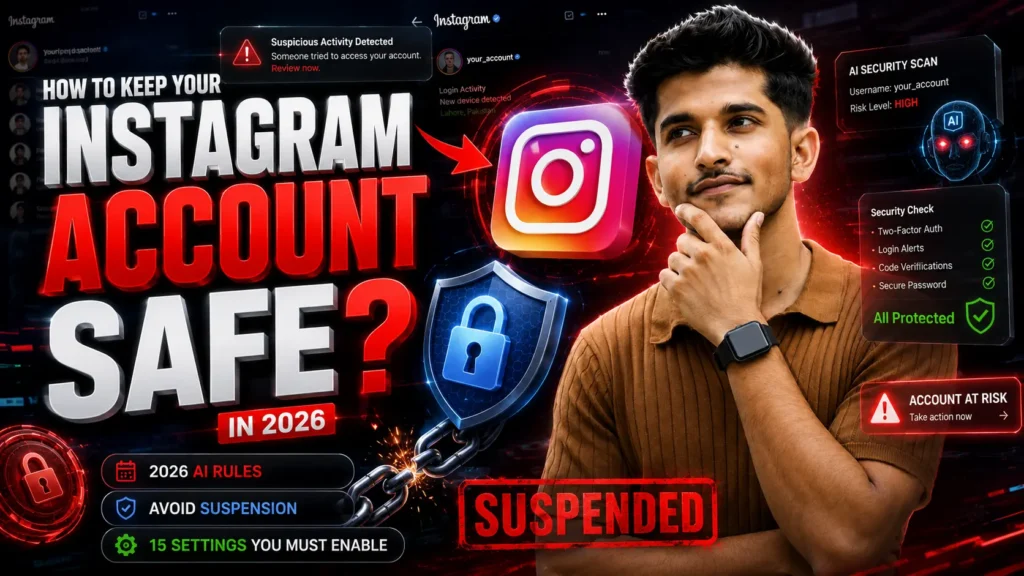
Instagram in 2026 is Brutal. Here’s How to Stay Protected
Your Instagram account isn’t just at risk from hackers anymore. Instagram’s 2026 AI is aggressively policing “bot-like” behavior and policy violations. One mistake, and your account can be suspended or disabled for weeks. I’m going to walk you through exactly how to prevent this.
I’ve seen accounts with 100k followers get disabled overnight. Not because they were hacked. Because they didn’t know these 15 rules. If you’re serious about keeping your account alive, read this carefully.
Part 1: Professional and Legal Identity (3 Settings)
This is the foundation. If your identity isn’t clean, everything else fails.
1. Verified Date of Birth
Go to Settings > Personal Information. Your date of birth needs to match your legal ID exactly. Instagram uses this as proof you’re a real person and not underage. If you ever get suspended, Instagram’s review team checks this first. If it doesn’t match your government ID, they don’t appeal it. They just disable you.
Make sure it’s correct. Seriously.
2. Matched Contact Information
Your email and phone number must be unique to this account only. This is critical. Don’t use the same phone number for multiple Instagram accounts, especially if those accounts have different trust levels.
Here’s why: If one of your accounts gets flagged for suspicious activity, Instagram links that phone number to a violation. When you try to use that same number for another account, it starts with a lower trust score. If both accounts aren’t perfect, you trigger a chain reaction suspension.
Use different emails and phone numbers for different accounts. Period.
3. Avatar and Profile Authenticity
Your profile picture and bio cannot mimic a celebrity, influencer, or another brand. Instagram has automated filters that instantly catch this. If your picture looks like a famous person or if your bio says “Official Page of [Celebrity],” you trigger the impersonation filter immediately.
Use a real photo of yourself or your actual brand. Keep your bio honest. Don’t pretend to be someone you’re not.
Part 2: Avoiding Automation Flags (The Biggest Risk Today)
This is where most accounts get suspended. Instagram’s 2026 security protocols are obsessed with finding bots. If you look like a bot, you’re done.
1. Delete Third-Party Tracker Apps Right Now
Apps that show “who unfollowed me” or “profile viewers” are killing your account. These apps use headless browsers that log into your account in the background. Instagram’s 2026 AI instantly flags this as a bot violation.
I’m serious. Delete them today. Not later. Today.
Go through your connected apps. Settings > Apps and Websites. Delete anything that asks for full account access and tracks follower changes. This single change will protect you more than anything else on this list.
2. Stop Sending Repetitive Comments
Sending the same comment or emoji on 20+ posts in a row gets you suspended for 24 hours minimum. Instagram sees this as comment spam. Even if you’re just trying to be supportive, the algorithm sees it as bot behavior.
If you’re going to comment, make it different. Engage genuinely. Don’t just drop the same fire emoji on everything.
3. Master the Follow and Unfollow Limits
Don’t follow or unfollow more than 150 accounts per day. This is the safe ceiling. Go over it and Instagram’s AI thinks you’re using a bot.
If you’re growing your account, follow real accounts one by one. Engage with their content. This takes time, but it’s safe. The shortcut doesn’t exist anymore.
4. Disable DM Link Blasting
Sending the same link or message to 50+ people who don’t follow you back is a death sentence. Instagram disables your messaging feature first. Then your entire account.
If you want to share something, do it through Stories or posts where everyone can see it. Don’t spam DMs to cold audiences.
Part 3: Policy and Content Safety (4 Settings)
One policy violation doesn’t kill you. Multiple violations? That’s when Instagram moves to suspension.
1. Check Your Account Status Weekly
Go to Settings > Account Status every single week. Look for yellow or red marks. If you see something, stop posting for 48 hours. Let your trust score reset.
This is your early warning system. Most people ignore it until their account is already suspended. Don’t be that person.
2. Never Use Unlicensed Music
If you post video clips with copyrighted music that isn’t from Instagram’s Music Library, your content gets removed. One removed post is a warning. Multiple removed posts? Permanent account disablement.
Only use music from Instagram’s official library or royalty-free sources. Your audio matters more than you think.
3. Check Hashtags Before You Use Them
Some hashtags are temporarily banned by Meta due to spam. If a hashtag shows “Recent posts are hidden from this hashtag,” don’t use it. That message means Instagram has shadowbanned that tag.
Before posting, search the hashtag. Look at recent posts. If they’re hidden, choose a different hashtag.
4. Avoid Sensitive Keywords
Instagram’s 2026 AI is aggressive about medical, political, and financial content. Using certain trigger words in your captions can get you shadowbanned without knowing it.
Words like “cure,” “guaranteed returns,” “miracle,” or extreme political statements can trigger restrictions. If you’re creating content in these areas, be careful with your language. Be informative, not sensational.
Part 4: Technical Trust Factors (4 Settings)
This is where the technology side kicks in. Instagram doesn’t just check your behavior. It checks your device, location, and login patterns.
1. Maintain Consistent IP and Location
Don’t use free VPNs. Switching your location from India to USA and back in 5 minutes looks like account sharing or account takeover. Instagram flags this as a security risk.
If you travel and need to log in from a new location, do it once and let Instagram recognize the device. Then stay on that device for at least 24 hours before switching locations again.
Better yet, just use your regular home Wi-Fi when you can. Consistency is trust.
2. Understand Device Fingerprinting
If you manage multiple accounts, never log into multiple accounts from the same phone if one of them has been disabled. Instagram links the device ID to violations.
This is a chain reaction. If Account A gets disabled, that phone is now linked to a violation. When you log into Account B from that same phone, Account B starts with less trust.
Use different devices for different accounts. Or at least wait several days before accessing another account from a flagged device.
3. Get Meta Verified if Your Business Depends on It
If your livelihood depends on your Instagram account, subscribe to Meta Verified. It costs money, but it adds a “trust layer” to your account. The AI is less likely to auto-disable you for minor mistakes.
This isn’t necessary for casual accounts. But for business accounts or influencers? It’s insurance.
4. Enable Two-Factor Authentication
Turn on two-factor authentication in Settings > Security. This prevents hacking, yes. But it also proves to Instagram that you care about account security. High-intent, secure users get higher trust scores.
The AI sees 2FA as a signal that you’re not a bot. You’re a real, cautious person managing a real account.
The Most Important Rule: If You Get Suspended, Follow This Process
If you see “We Suspended Your Account” with a 30-day countdown, here’s what to do:
Do not use a VPN. Do not use a new device. Do not change your network.
Use your regular home Wi-Fi. Use the phone you normally use. Make sure your device fingerprint matches exactly what Instagram expects. If your device doesn’t match, Instagram’s review team thinks you’re trying to access the account from a hacked location. They extend your suspension.
Appeal from your normal setup. That’s it.
Quick Checklist: Run This Today
Go through this checklist right now. Take 30 minutes. Your account’s safety depends on it.
- [ ] Check your date of birth is correct in Personal Information
- [ ] Make sure your email and phone are unique to this account only
- [ ] Delete third-party tracker apps from your connected apps
- [ ] Review your last 10 comments. Are they repetitive?
- [ ] Check your Account Status for yellow or red marks
- [ ] Search your most-used hashtags. Are any showing “Recent posts hidden”?
- [ ] Check your login locations over the last week. Are they all normal?
- [ ] Enable two-factor authentication if you haven’t already
- [ ] Check your profile picture and bio. Do they mimic anyone else?
- [ ] Review your DM habits. Have you been messaging cold audiences?
Done? Good. Your account is safer now.
The Reality
Instagram’s 2026 AI doesn’t care about your intention. It cares about patterns. If you look like a bot, you’re suspended. If you violate policies, you’re disabled. If you look like a security risk, you’re restricted.
This isn’t fair. It’s automated. But it’s the reality we’re living in.
The creators and businesses who survive are the ones who understand these rules. The ones who don’t? They lose months of work. They lose income. They lose their audience.
You now know the 15 settings and behaviors that keep accounts alive. Use this knowledge. Share it with other creators you know. Because account suspension is happening more frequently, and most people have no idea how to prevent it.
Stay safe. Keep your account healthy. And if you have questions about any of these points, you know where to find me.
Your account matters. Protect it.
More Resources
"Get Your Free Marketing Growth Consultation"
Let's Connect
Let’s talk! Whether you’re just starting out online or want to fix what’s not working, I’m here to help. As the best digital marketing strategist in Wayanad, I focus on what actually works for your business. Shoot me a message and we’ll figure out the best path forward.”